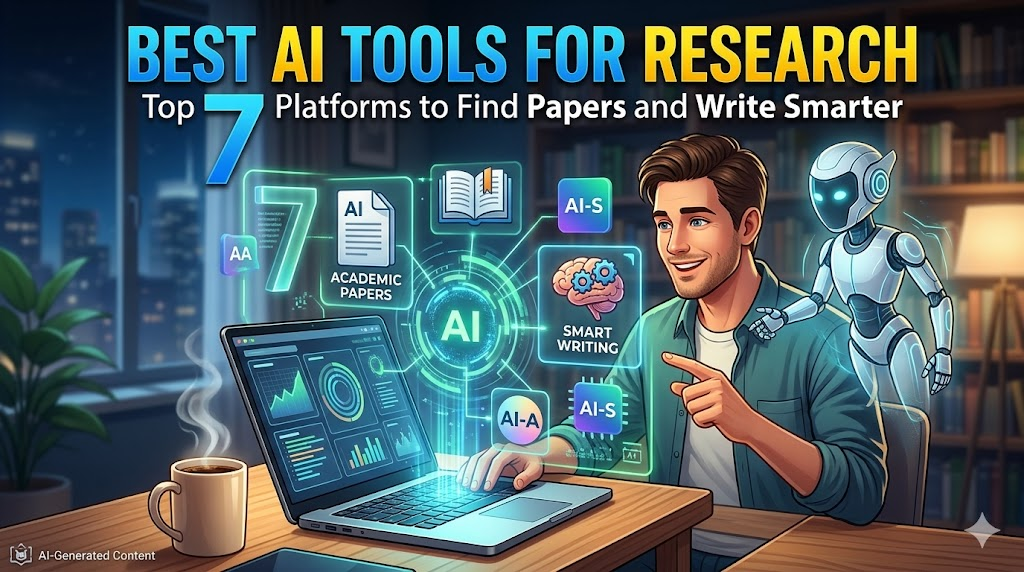
You sit down at your desk with a warm cup of coffee, ready to start the literature review for your latest research project. You open a standard academic search engine, type in your thesis topic, and immediately feel a headache coming on. Your screen is flooded with 15,000 search results.
To find the actual data you need, you have to open dozens of browser tabs, download heavy PDF files, and scroll through endless pages of dense academic jargon. By the time you find three relevant sentences, two hours have slipped away, your coffee is cold, and your energy is entirely drained.
Sorting through academic literature can feel like trying to find a needle in a digital haystack. Fortunately, specialized search platforms designed specifically for academic environments can take over the heavy lifting. In this guide, we will break down the Best AI Tools for Research so you can stop wasting hours on manual reading and start making real progress on your projects.
Table of Contents
Quick Summary Box
| Category | Details |
| Best For | Students, PhD candidates, medical researchers, and academic writers. |
| Free / Paid | Most tools offer generous free tiers with optional monthly premium upgrades. |
| Difficulty Level | Easy to Moderate (Simple search bars with specialized data tables). |
| Key Benefits | Automates literature mapping, extracts PDF data instantly, and provides real citations. |
What Are AI Tools for Research?
These applications are not generic text generators that make up stories or write casual social media posts. Instead, they are specialized academic engines connected directly to massive databases containing hundreds of millions of peer-reviewed research papers, medical trials, and scientific journals.
A student preparing for a thesis can use these platforms to ask complex questions in plain English. The platform acts like a digital librarian—it reads through thousands of abstracts, pulls out the exact methodologies or statistics required, and displays them alongside clickable, verified citations.
Why People Use These Dedicated Platforms
Many researchers choose these dedicated platforms because generic chatbots frequently suffer from hallucinations, confidently inventing fake statistics or referencing non-existent papers. When you are writing a university assignment or a medical paper, using a fake reference can ruin your academic credibility.
These tools are particularly useful when you need quick explanations or want to organize information without jumping between multiple websites. They ensure that every sentence generated is directly tied to a real, published paper, allowing you to build an argument safely backed by evidence.
Key Features to Look For
[Insert Dashboard Screenshot Here]
- Semantic Search: Understands the actual scientific meaning behind your question, rather than just matching exact keywords.
- Automated Data Extraction: Pulls out population sizes, dosages, or mathematical outcomes from deep inside a PDF automatically.
- Citation Consensus Tracking: Tracks how many papers support, contest, or simply mention a specific scientific claim.
- Interactive PDF Copilots: Allows you to highlight a confusing graph or mathematical formula inside a paper and ask for a simple explanation.
How They Work Under the Hood
When you type a research question into one of these platforms, it does not guess the answer using random word patterns. Instead, it converts your query into a contextual concept and searches major academic indexes like Semantic Scholar.
[Insert Feature Screenshot Here]
A student analyzing environmental data can upload 20 different climate studies into their workspace. Instead of spending days reading every single page to compare regional temperature changes, the system can extract all matching metrics into a side-by-side comparison table in seconds.
Detailed Breakdown of the Top 7 AI Tools for Research
1. Elicit
Elicit acts as an automated research assistant designed specifically to streamline systematic reviews. It excels at scanning through more than 138 million academic papers to find patterns and extract structured quantitative data.
- Best For: Automating literature reviews and extracting structured study metrics.
- Key Feature: Custom data extraction columns that pull out population sizes or test durations across dozens of PDFs at once.
- Limitation: The most powerful extraction features sit behind their paid premium tier.
2. SciSpace
SciSpace is a highly versatile, all-in-one platform featuring a massive database of over 280 million papers. Its standout feature is an interactive Copilot that explains dense academic text on the fly.
- Best For: Explaining complex academic papers and exploratory literature mapping.
- Key Feature: “Chat with PDF” tool where you can highlight confusing jargon for an instant, simple breakdown.
- Limitation: It is not heavily optimized for deep, historical research in the humanities.
3. Consensus
Consensus works like an evidence-based search engine that gives clear answers based on scientific agreement. When you type a yes-or-no scientific claim, it scans the literature to give you a definitive perspective.
- Best For: Fast fact-checking and seeing if a scientific claim is widely accepted.
- Key Feature: The “Consensus Meter,” which visually displays what percentage of papers agree or disagree with your query.
- Limitation: The free tier limits how many deep analyses you can run each month.
4. ResearchRabbit
ResearchRabbit is often described as the “Spotify of academic papers”. It allows you to create collections of studies and maps out visual networks of connected authors and citations.
- Best For: Visualizing how different research papers link together over time.
- Key Feature: Interactive visual graphs showing citations and co-author networks.
- Limitation: The highly visual interface can feel complicated and overwhelming for absolute beginners.
5. NotebookLM
Developed by Google, NotebookLM serves as a personalized knowledge space. It relies strictly on the files you manually upload, turning your notes into an interactive, private database.
- Best For: Synthesizing your personal course notes, lectures, and uploaded PDF chapters.
- Key Feature: Generates studio-quality audio briefings and conversational overviews based entirely on your files.
- Limitation: It cannot search the open web or external academic databases on its own.
6. Semantic Scholar
Built by the Allen Institute for AI, Semantic Scholar is a completely free academic search portal. It uses smart algorithms to identify influential studies and track field trends.
- Best For: Finding key academic papers across multiple disciplines completely free of charge.
- Key Feature: AI-generated “TL;DR” summaries that explain a paper’s core finding in a single sentence.
- Limitation: Lacks advanced workflow automation, document editing, or structural data extraction tools.
7. Paperpal
Paperpal focuses heavily on the tail-end of the academic workflow: writing and manuscript refinement. It polishes your drafts to ensure they meet professional academic standards.
- Best For: Editing drafts, fixing structural grammar, and preparing manuscripts for journal submission.
- Key Feature: Real-time academic phrasing suggestions that preserve your disciplinary tone.
- Limitation: It is an editing assistant, meaning it will not find new external research papers for you.
Practical Use Cases for Academics
1. Accelerating Systematic Literature Reviews
A medical researcher studying the impacts of microplastics can use Elicit to scan through hundreds of studies at once. Instead of opening every PDF manually, they can instantly create a spreadsheet tracking sample sizes and adverse findings across all papers.
2. Breaking Down Advanced Physics Theories
A first-year college student struggling with quantum mechanics can upload a daunting 50-page paper into SciSpace. By using the built-in Copilot, they can highlight advanced equations and get an instant breakdown written in simple language.
3. Resolving Scientific Debates
If you are trying to find out if a specific dietary supplement actually improves cognitive memory, entering the query into Consensus provides a clear visual breakdown showing whether current studies lean toward “yes,” “no,” or “mixed”.
Step-by-Step Guide: How to Run a Smart Literature Search
Following a structured approach ensures you get the cleanest data from these advanced academic systems.
1.Write a Specific Query:Step 1: Frame an Answerable Question.
Avoid typing broad keywords like “diabetes insulin”. Instead, use a clear, structured question: “What is the impact of intermittent fasting on insulin sensitivity in type-2 diabetic patients?”
2.Build an Extraction Table:Step 2: Compare Multiple Papers.
Use a tool like Elicit or SciSpace to pull the top 10 relevant papers into a clean grid. Add data columns for ‘Methodology,’ ‘Sample Size,’ and ‘Main Findings’.
3.Use the Interactive PDF Copilot:Step 3: Dive Into Difficult Text.
Open the most critical study in your list. Use the side-chat interface to ask targeted questions like: “What were the specific control variables used in this clinical trial?”
4.Discover Connected Studies:Step 4: Map the Citation Network.
Plug your core paper into ResearchRabbit or Litmaps. Look at the visual chart to see which older foundational papers everyone is citing, and discover newer papers following the same methodology.
Benefits of Using Specialized Research Tools
- Drastically Cuts Reading Time: Condenses hundreds of pages of complex studies into single-sentence summaries and organized grids.
- Protects Academic Integrity: By pointing directly to verified peer-reviewed publications, these systems stop you from referencing fake data.
- Surfaces Hidden Connections: Helps you discover relevant papers that might not share the exact keywords you originally typed.
Limitations to Keep in Mind
- Paywalls and Capped Free Tiers: Many platforms limit how many deep file uploads or advanced analyses you can run each month without a paid subscription.
- Humanities Data Gaps: These tools crawl scientific, medical, and technical databases incredibly well, but they can struggle with niche historical archives or art history papers.
- Requires Expert Oversight: The system can organize and extract data, but it cannot analyze the ultimate significance of a study or spot subtle flaws in a researcher’s methodology.
Pros and Cons Comparison Table
| Tool | Core Advantage | Main Disadvantage | Best Use Case |
| Elicit | Outstanding structured data extraction tables | Heavy reliance on premium tiers for complex work | Systematic data mapping |
| SciSpace | Massive paper database with a fantastic PDF chat tool | Lacks built-in plagiarism checking features | Explaining difficult concepts |
| Consensus | Clear visual breakdown of scientific consensus | Free tier limits deep search capabilities | Fast claim verification |
| NotebookLM | Keeps findings safely grounded in your own uploads | Cannot search external web databases independently | Synthesizing study notes |
Head-to-Head: Open Search vs. Closed Workspace
[Insert Pricing Screenshot Here]
This table highlights how the workflow shifts depending on whether you search global databases or analyze your own private files.
| Feature Metric | Global Academic Search (e.g., SciSpace, Elicit) | Closed Source Workspaces (e.g., NotebookLM) |
| Database Size | 130M to 280M+ peer-reviewed papers | Restricted solely to the files you upload |
| Core Strength | Uncovering new literature and tracking citation trends | Deeply summarizing specialized project notes |
| Hallucination Risk | Extremely low (Pulling directly from live abstracts) | Virtually zero (Grounded entirely in your sources) |
| Internet Access | Constant live connection required to ping indexes | Works independently of external web searching |
Best Alternatives for General Research Support
- Perplexity AI: An excellent conversational search engine when you need quick, real-time news and general web citations rather than strict academic papers.
- Zotero: The ultimate free, open-source reference manager to organize your citations and format bibliographies without any AI automation.
- Claude: A brilliant option when you need to upload a massive personal document and want a highly fluid, nuanced summary of its narrative structure.
Common Mistakes Users Make
- Treating Summaries as Complete Truth: An AI summary can miss small, critical caveats hidden deep inside a study’s conclusion. Always click through and skim the original PDF text to confirm details.
- Ignoring the Free Search Filters: Forgetting to filter by publication year or journal quality can leave you with outdated data or weak references from low-tier blogs.
- Relying on a Single Tool for Everything: Trying to make an editing tool like Paperpal find new literature, or making a literature tool like Elicit write your draft, leads to poor results. Use a multi-tool stack instead.
Frequently Asked Questions (FAQs)
Are these research tools safe to use for university assignments?
Yes. Because they function as advanced search engines that guide you to real, published papers, using them to find literature is completely ethical.
Do these platforms plagiarize existing academic papers?
No, these tools are built to help you find and reference literature. They point you to the original source text so you can quote it correctly in your bibliography.
Can SciSpace read files that are not written in English?
Yes, SciSpace features robust multilingual extraction support that can handle data processing across 75 different languages.
What is the main difference between Elicit and a standard Google search?
Google searches matching keywords across the open web, often serving up ad-heavy blog posts. Elicit searches verified academic indexes and extracts data into clean tables.
Can NotebookLM find new papers for my thesis project?
No, NotebookLM only knows what you tell it. It acts as a smart reading partner for documents you have already downloaded and uploaded yourself.
What exactly is the “Consensus Meter” tool?
Found inside the Consensus platform, it analyzes search results to show you the percentage of published studies that agree or disagree with a specific claim.
Can I export data tables from these tools into Excel?
Yes, platforms like Elicit and SciSpace allow you to export your data extraction tables into clean CSV or Excel files with a single click.
Do these applications cost money to use?
Most of the top platforms offer excellent free tiers. Paid monthly subscriptions are completely optional and are designed for heavy power users who need massive data extraction limits.
Can these systems explain advanced mathematical formulas?
Yes, using the PDF chat features in tools like SciSpace allows you to highlight complex mathematical formulas and get a simple text explanation of how they work.
Will teachers know if I used an academic search assistant?
Using an assistant to discover papers or clean up your grammar is just like using an advanced library catalog. However, copy-pasting text directly into your essay instead of writing it yourself can be flagged by academic integrity tools.
Final Thoughts: Which Tool Should You Pick?
[Insert Results Screenshot Here]
Choosing the right platform depends entirely on where you are stuck in your current workflow. If you are right at the beginning of your literature review and need to build clean comparison tables across dozens of clinical trials, Elicit or SciSpace will save you days of manual labor. If you just want to verify a specific scientific claim quickly, Consensus is your best bet.
However, if you are looking for a creative tool to write your entire paper from scratch or handle fictional assignments, these structured academic platforms are not the right fit. Pick the tool that aligns with your immediate research step, and start exploring the literature more efficiently!